The "Empty Listing" Problem
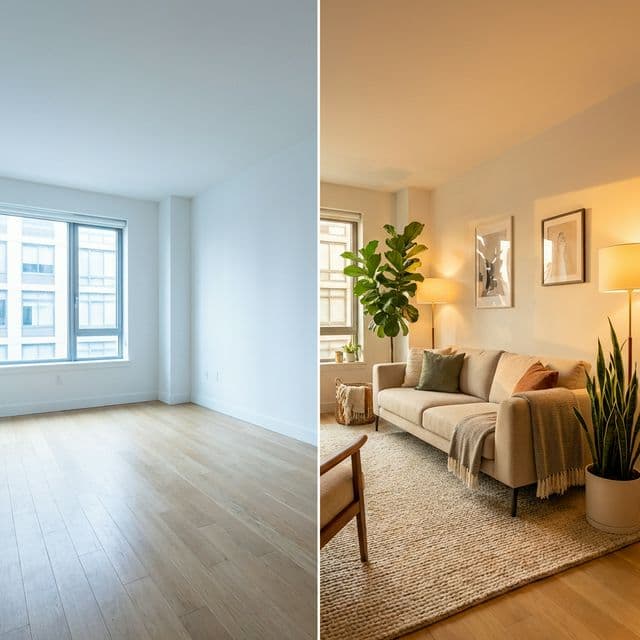
83% of buyers' agents say staging makes it easier for a buyer to visualize the property as a future home. But physical staging costs thousands and takes days.
Empty rooms feel smaller and colder. They sit on the market longer.
The Solution: AI Virtual Staging
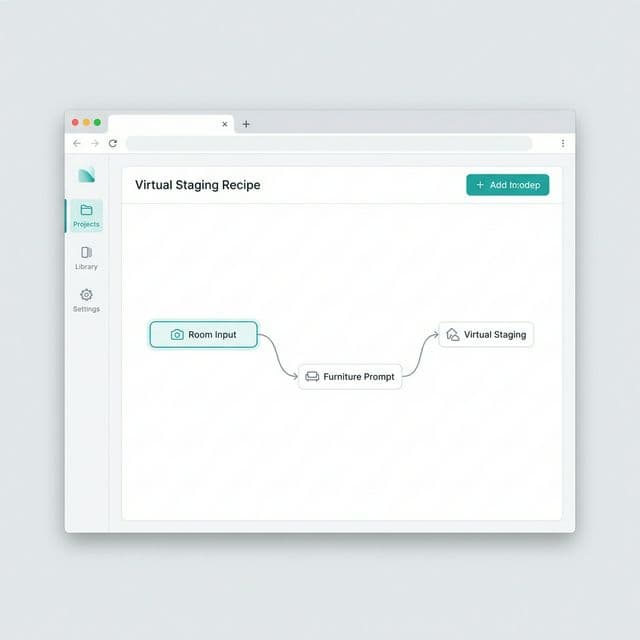
BlinkPic's Virtual Staging recipe reads the geometry of your room photo (walls, floor, windows) and "place" 3D-realistic furniture into it, matching perspective and lighting perfectly.
1. Upload Room
Take a photo of the empty space. Use wide angle if possible.
2. Choose Style
"Scandinavian Living Room" or "Modern Minimalist Bedroom".
3. Generate
Get perfectly staged variations instantly.
How to use it (Step-by-Step)
- Select "Real Estate Staging" Recipe. In your dashboard.
- Upload the base photo. The AI detects the floor plane automatically.
- Describe the furniture.PROMPT: "A cozy living room, beige linen sofa, jute rug, monstera plant in corner, warm sunlight"
- Run Pipeline. Download high-res images ready for MLS.