The "Flat Lay" Trap
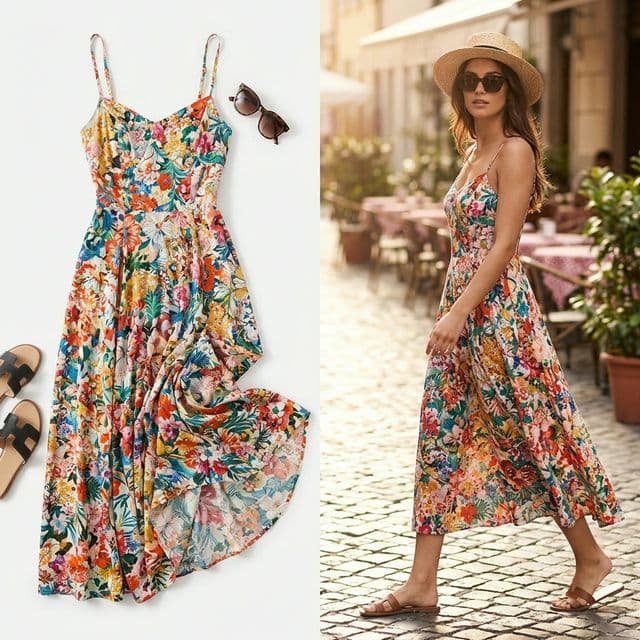
Flat lays are great for showing detail, but they don't show fit or drape. Customers want to see clothes ON a person. But hiring models, hair, make-up, and photographers for every SKU destroys margins.
You need on-model photography to drive conversions.
The Solution: AI Model Generation
BlinkPic allows you to take your existing flat lay photos and "drape" them onto an AI-generated model. You control the model's look, pose, and setting.
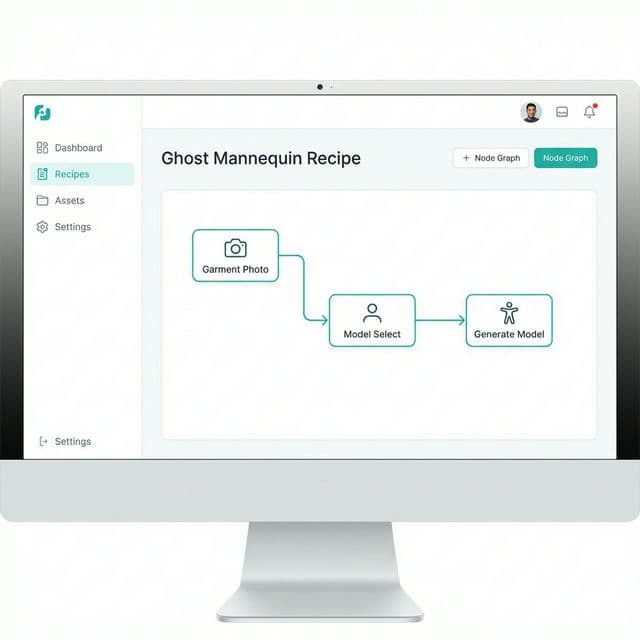
1. Input Flat Lay
Upload your garment photo on a simple background.
2. Select Model
Choose ethnicity, age, and body type.
3. Generate
The clothes adjust perfectly to the model's pose.
How to use it (Step-by-Step)
- Open "Ghost Mannequin" Recipe.
- Upload the Cloth. BlinkPic automatically segments the cloth from the background.
- Define the Model.PROMPT: "A professional fashion model, female, joyful expression, walking on a parisian street, natural lighting"
- Generate Lookbook. Create an entire campaign from one photo.